
Before you start
- Cora by SEO ToolLab, installed and licensed.
- A DomDetailer API key. Buy credits, or find your key on your account page.
01 Open Cora settings
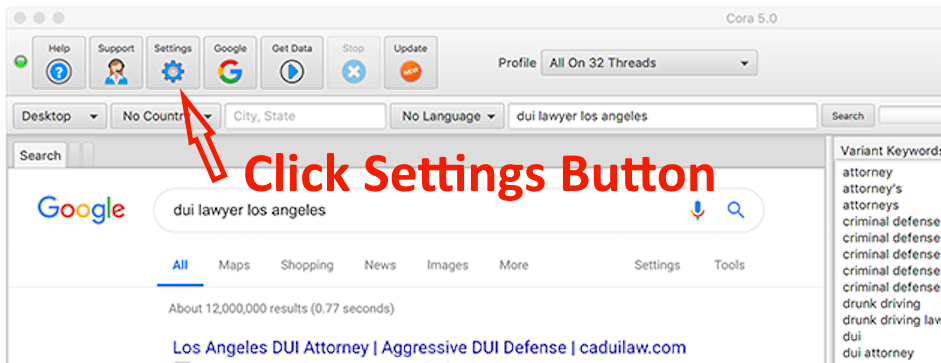
Start Cora and click Settings in the toolbar.
02 Switch to the DomDetailer tab
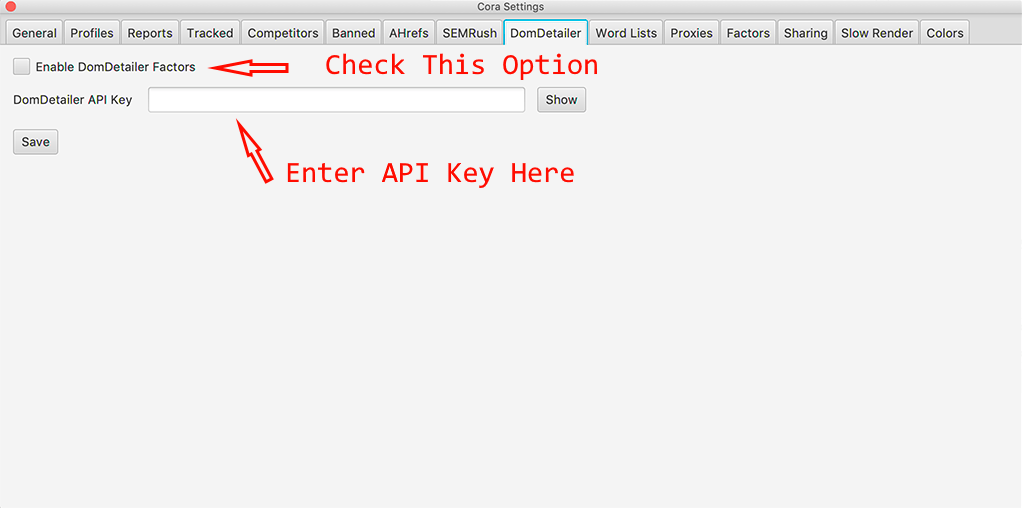
In the settings window, select the tab headed DomDetailer.
03 Enter your key and enable the factors
Paste your DomDetailer API key into the text field, then tick Enable DomDetailer Factors. Without that box ticked Cora stores the key but does not use it.
04 Save
Click Save. Cora will now include DomDetailer metrics in its reports. Because Cora analyses a full result set per run, a single report can use a meaningful number of credits — worth watching on your first run.
Review your domain shortlist
Once setup is complete, you can check Domain Authority and Trust Flow in bulk in your browser, then inspect backlink samples, anchor text and source pages for the domains you want to investigate. The expired-domain vetting workflow explains how to turn an auction export into a shortlist for manual review.
Not working?
Check the key has no stray spaces, confirm you have credits left on your account page, and check the service status. If it is none of those, tell us what you tried and we will look.