
DomDetailer Desktop: bulk domain checker for Windows
Check thousands of domains without a browser tab open.
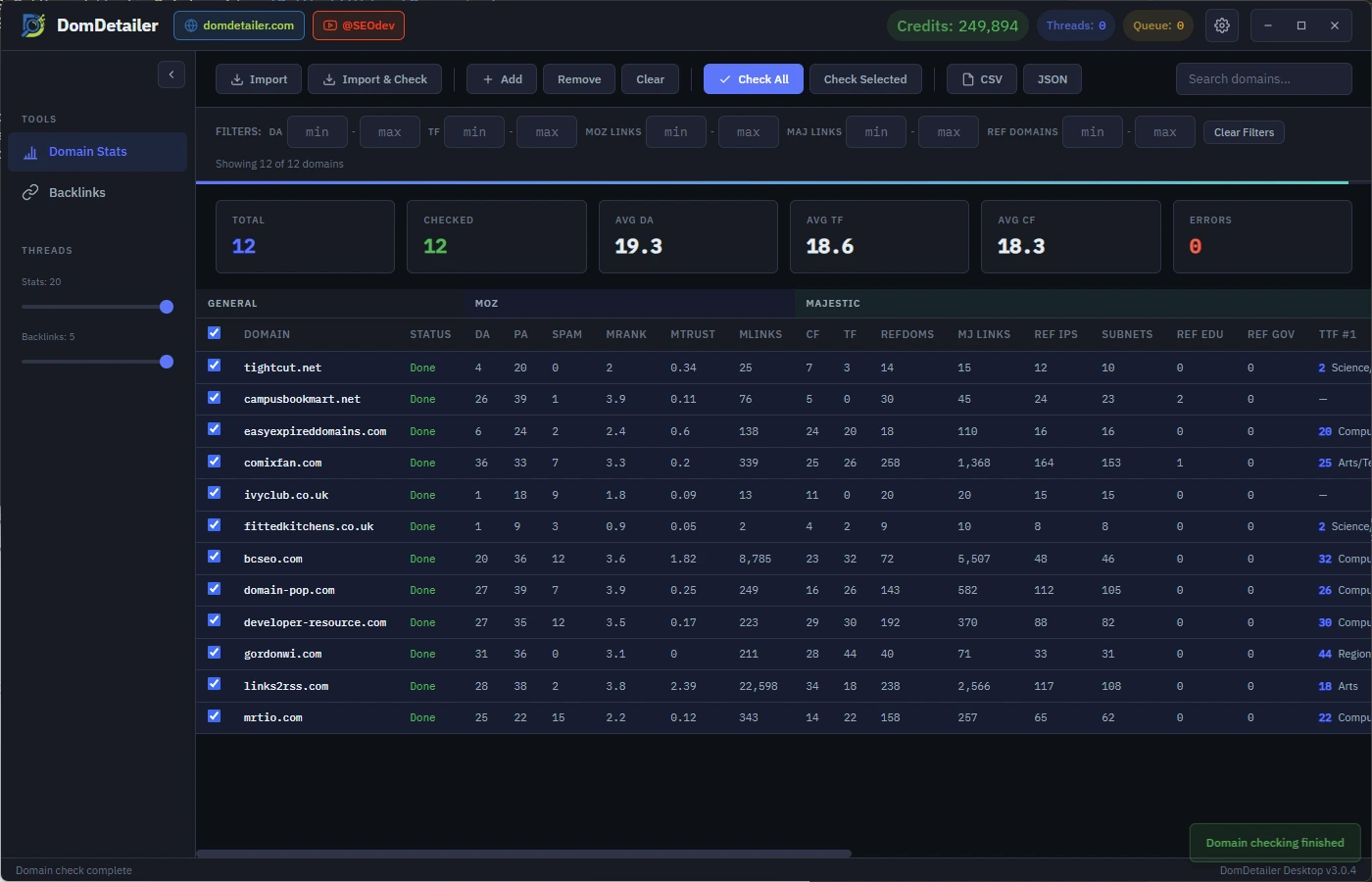
DomDetailer Desktop runs your whole list through the API at up to twenty connections at once, filters what comes back, and exports only what you decided to keep. Free for Windows; it spends the credits already on your account.
What you need.
The application is Windows-only. That is a deliberate choice rather than a gap: we would rather support one platform properly than three of them badly.
On anything else, the browser tools do the same job with nothing to install, and the API works from any language on any system.
74 MB download. Free to use; it spends the credits already on your account.
Built for lists, not single lookups.
The browser tools are quicker for a handful of domains. This is for the five-thousand-row auction export.
Bulk domain stats
Moz, Majestic and Pretty metrics for as many domains as you can paste or import, running up to 20 connections at once.
Backlink profiles
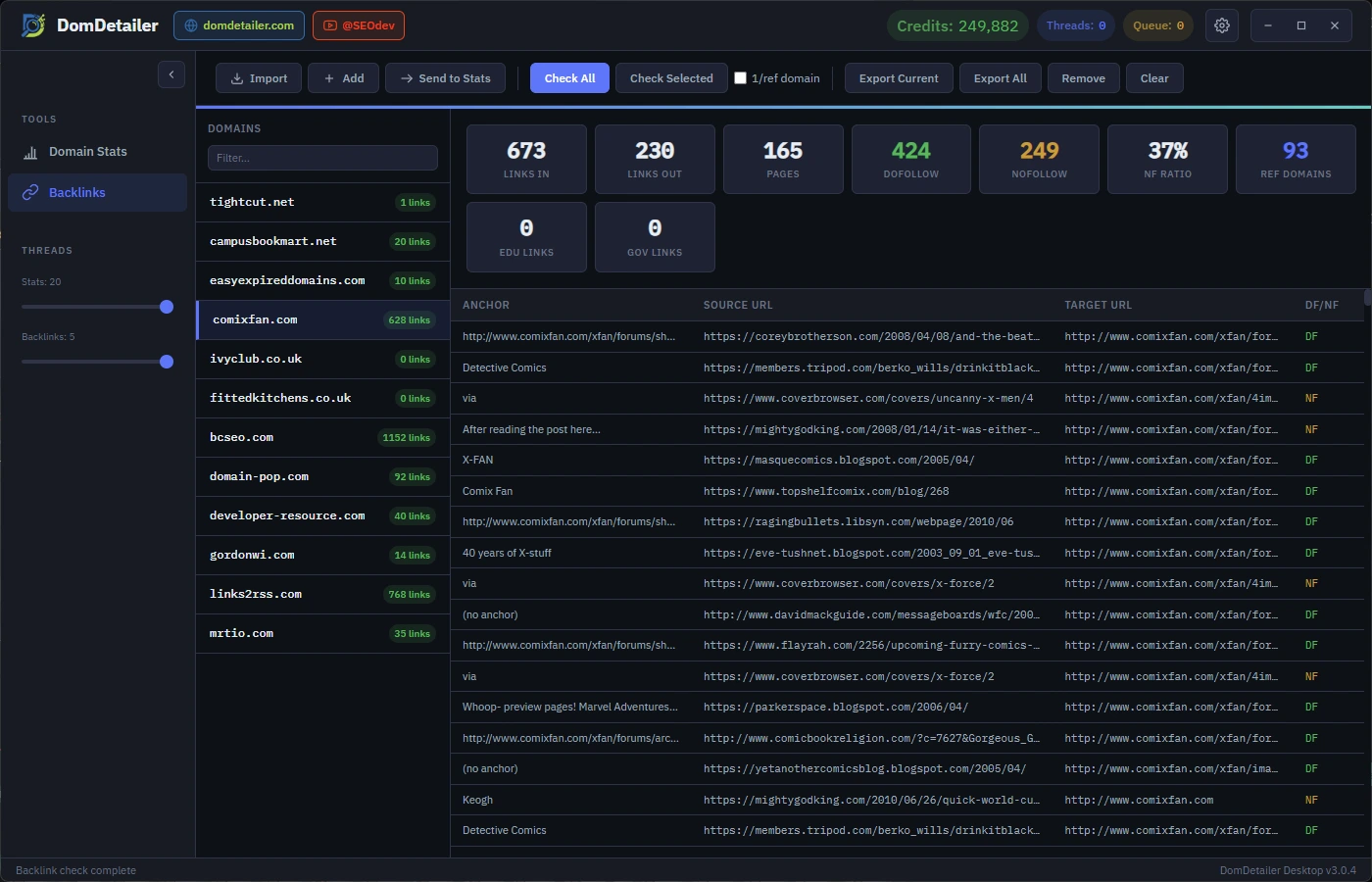
Anchor text, source and target URLs and follow status for a domain, fetched five at a time.
Import and export
Read domain lists from .txt or .csv, write results back out as CSV or JSON. Exports respect whatever filters are active.
Filter and sort
Narrow by Domain Authority, Trust Flow, Spam Score or status, sort on any column, and search the list without losing results.
Keys stay in the keychain
Your API key is stored through the operating system's own encrypted storage, not in a settings file.
Live balance
Remaining credits, active threads and queue depth are visible while a run is in progress.
Backlinks, per domain, in the same window.
Right-click a selection in Domain Stats, send it to Backlinks, and the check starts on arrival. Pick a domain from the list and you get its link profile: the counts along the top, then every row we hold — anchor text, the page the link sits on, the page it points at, and whether it passes authority.
The counts first
Links in and out, pages seen, the dofollow and nofollow split with the ratio worked out, referring domains, and .edu and .gov counts. Enough to judge a profile before reading a single row.
One row per link
Anchor text, source URL, target URL and follow status. Empty anchors are shown as such rather than hidden, because a profile made of image and bare-URL links is a finding in itself.
It goes both ways
Send to Stats hands the domains you have marked here back to the Domain Stats view, queued and already checking. One pass feeds the other without an export and a re-import in between.
-
01
Install it
Download and run the signed installer. From 3.0.1 onward it keeps itself up to date.
-
02
Sign in once
Paste your API key. It goes into your operating system's encrypted credential store, not a config file.
-
03
Load a list
Paste domains or import a .txt or .csv. Import and Check starts the run as soon as the file is read.
What changed recently.
- Backlink exports now respect the active filters rather than exporting the full set.
- Reduced memory use on lists above 50,000 domains.
- Fixed a stall when the credit balance reached zero mid-run.
- Added right-click selection in the backlinks sidebar for batch operations.
- Search now filters the domain list without discarding results.
- Import now accepts .csv alongside .txt and starts checking immediately.
- Corrected thread accounting when a request timed out.
About the desktop app.
Does the desktop app cost anything?
No. The application is free. It spends credits from your DomDetailer account exactly as the website and the API do.
Do I need an API key to use it?
Yes. Sign in once with your API key and it is stored through your operating system's encrypted credential store.
Does it update itself?
Yes, from version 3.0.1 onward. The application checks for a new release on startup and installs it in the background.
Start at 25,000 lookups for $34.
One balance covers the browser tools, the desktop app and the API. Nothing renews, nothing expires, and you can stop using it for six months without losing anything.